TikTok Shop LIVE Shopping: Live Selling Strategy for US Brands (2026)
Last updated: October 21, 2026
TikTok live commerce means selling in real time: a host shows the product, answers comments and points viewers to a pinned product card they can buy from without leaving the stream. This guide is for US brands that want to run TikTok Shop LIVE well. It covers the follower question, setup, stream structure, the LIVE promotion tools, running LIVE without an in-house host, and compliance. We only state platform rules where TikTok Shop Academy publishes them, and we link those sources at the end.
Do you need 1,000 followers to go LIVE as a seller?
Not if the LIVE runs on an account bound to your shop. TikTok Shop Academy says creator accounts bound to a shop can go LIVE without a minimum follower requirement. A creator bind links your TikTok Shop to a TikTok account so that account can sell your products in videos, LIVE and the showcase. Unbound affiliate creators have their own eligibility rules, so check the current Academy text before you plan around a specific creator.
The shop itself must be live first. TikTok's registration guide covers business verification, tax details, warehouse setup and product upload. If verification is stuck, read our TikTok Shop KYC verification help.
How to set up a TikTok Shop live stream
In the US, TikTok Shop Academy describes a LIVE selling hub in Seller Center under LIVE & video > LIVE selling. It has a short tutorial, a checklist for before, on the day of and during a stream, learning material, examples from LIVE sellers, and a link to LIVE Manager, where you start the stream.
- Phone on a tripod at eye level for the camera, with steady front lighting and a clean background.
- A laptop running Seller Center or LIVE Manager so a second person can pin products, launch promotions and watch comments without touching the camera phone.
- A wired or stable internet connection and a quiet room, plus an external mic if the space echoes.
- Every product you plan to show already uploaded with accurate titles, photos, variants, prices and stock.
- A private test run: camera, sound, product pinning and promotion timing.
Orders placed in LIVE are normal TikTok Shop orders. They count toward the same shipping, cancellation and customer service metrics as any other order, so plan stock and packing capacity before you go LIVE.
Stream structure: warm-up, product loops, re-introduce the offer
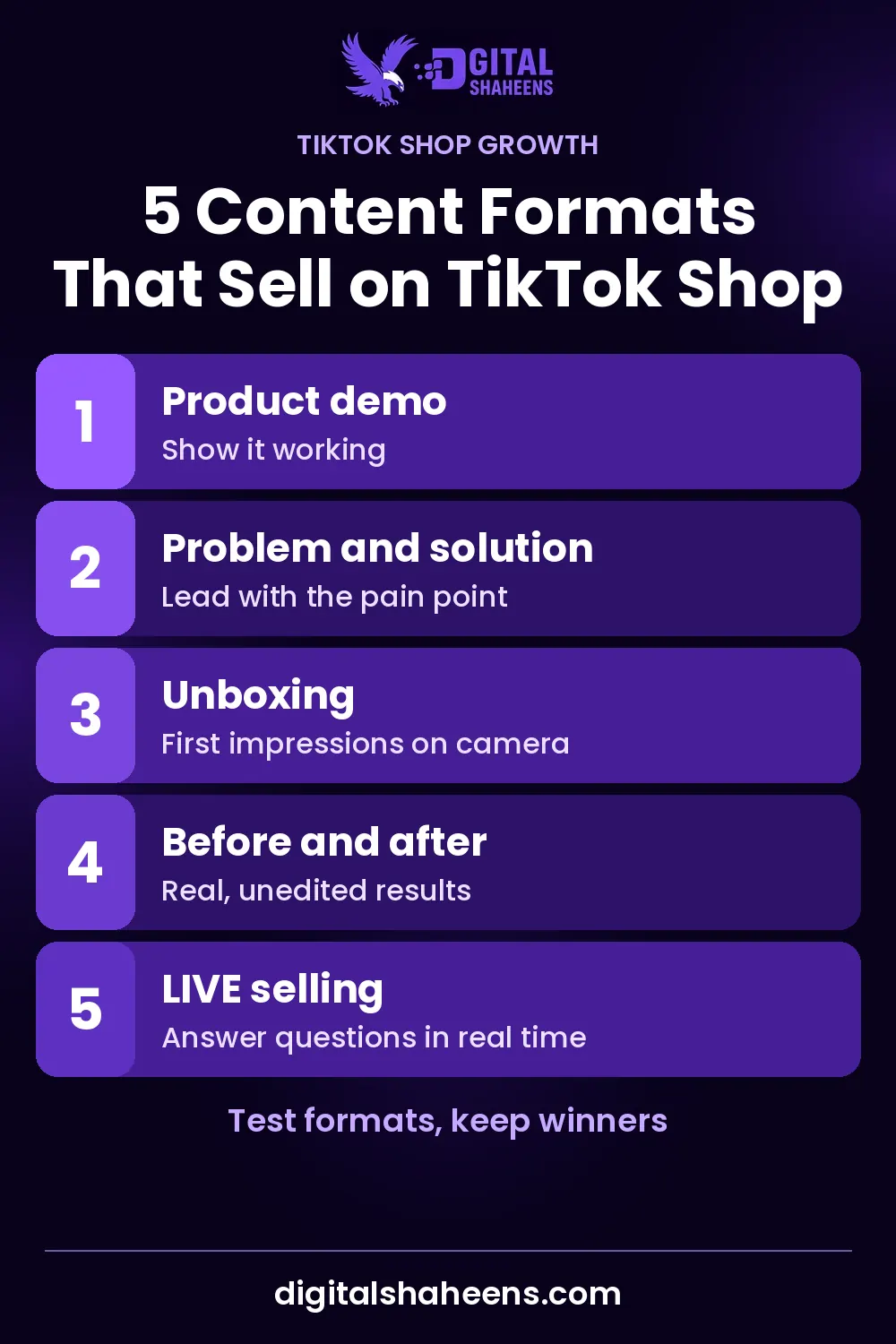
Viewers join and leave all the time, so a TikTok Shop LIVE is not one long pitch. Warm up, then run a short product loop and repeat it so anyone who arrives mid-stream still sees a full demo and offer.
Warm-up
Open with the product already in hand and say in one sentence what it does and what today’s offer is. Ask a simple question in the comments, such as which shade or size viewers want to see first.
Product loop
Demo the product in use and answer the questions buyers usually have: does it work, will it suit me, what is in the box. Read real comments aloud. Then pin the product and state the price exactly as it appears in the product card.
Re-introduce for new viewers
Every few minutes, re-introduce yourself, the product and the offer for people who just joined, then move to the next product or repeat the loop. Plan the product order before the stream so nobody is searching for a link on camera.
Products that sell best on TikTok live shopping are easy to understand on camera: a visible result, texture, fit or use, simple variants, and enough stock to cover a spike in orders.
TikTok Shop LIVE promotion tools
TikTok Shop Academy lists five LIVE promotion tools, set up in Seller Center under Marketing > Promotions:
- LIVE Flash Sale: a seller-funded, limited-time deal shown only during your LIVE, with a pre-launch countdown. The US Seller LIVE Flash Sale guide says sellers can set it up on Seller Center PC, the TikTok app or LIVE Manager.
- LIVE Coupon: a coupon buyers can claim only during your LIVE, as an amount or a percentage, for specific SKUs or shop-wide.
- Creator LIVE Deal: a limited-time deal shown only on a selected creator’s livestream.
- Creator LIVE Giveaway: a prize giveaway run during a TikTok Shop LIVE to attract viewers and comments.
- Creator Exclusive Price: a creator-only price for LIVEs, set for one creator or a creator tier, per TikTok’s Creator Exclusive Price guide.
Only announce stock limits or deadlines that are true, and check each promotion in the product card before you mention it on air.
Running TikTok Shop LIVE without an in-house host
Many brands do not have a natural on-camera host. There are three common options:
- Affiliate creators who go LIVE on their own accounts with your products, often supported by a Creator LIVE Deal or Creator Exclusive Price.
- Remote or contract hosts who stream on your bound account, with your team running products and promotions from Seller Center.
- An agency that plans the schedule, sources hosts and runs promotions, such as our TikTok Shop LIVE selling agency service. Our TikTok Shop management for DTC brands covers this alongside creators and ads.
Whoever hosts, the shop stays responsible. TikTok’s LIVE auction guidelines state that delegating LIVE operations to a creator, host or LIVE service provider does not transfer the seller’s responsibility for products and orders. Give every host a written brief with allowed claims, prices, promotions and stock.
Compliance before you go LIVE
The product page and the physical item on camera must match. TikTok’s LIVE auction guidelines require truthful product information, pricing, inventory and shipping fees, genuine and safe products, and on-time shipping and after-sales handling. Those rules are written for auctions, but they are good practice for every LIVE. Auctions add their own eligibility thresholds; see TikTok Shop LIVE auction requirements.
- Show the actual product and its condition, never a different item from the product card.
- Do not make result, price or stock claims you cannot back up, especially in claim-heavy categories like beauty or supplements.
- Keep the pinned product, the item on camera and the inventory in sync.
- Ship on time after the stream; late shipments and cancellations count against the shop.
After each stream, review LIVE analytics in Seller Center and the recording. Change one thing per stream, such as product order, hook or host, so you can see what made the difference.
Comparing partners? Read how to choose the best TikTok Shop agency. We do not promise sales results; outcomes depend on your product, stock, offer and platform decisions.
Frequently Asked Questions
Which TikTok Shop live selling is best for brands?
There are two main formats: seller LIVE, where the brand hosts, and creator LIVE, where an affiliate creator hosts. Seller LIVE gives the brand control of the pitch, offer and pinned products; creator LIVE gives reach into the creator's audience. The best format depends on whether the brand has a host and an audience, or needs the creator's reach.
Is TikTok Shop live stream selling effective for United States brands?
Yes — LIVE is a built-in TikTok Shop selling format for US brands, with flash sales, coupons, creator-exclusive prices and auctions. It works best with a promoted stream, a clear offer and products that demo well on camera, and every stream should be reviewed in LIVE analytics afterwards.
Do I need 1,000 followers to go LIVE on TikTok Shop as a seller?
Not on a bound account. TikTok Shop Academy says creator accounts bound to a seller's shop can go LIVE without a minimum follower requirement. Unbound affiliate creators have separate eligibility rules, so check the current Academy text for that account type.
How do I set up a TikTok Shop live stream?
Verify the shop and upload the products first. Then open Seller Center > LIVE & video > LIVE selling and launch LIVE Manager, or go LIVE from the TikTok app on the bound account, and add the products you will pin during the stream.
What LIVE promotion tools does TikTok Shop offer?
TikTok Shop Academy lists five: LIVE Flash Sale and LIVE Coupon for sellers hosting their own LIVE, and Creator LIVE Deal, Creator LIVE Giveaway and Creator Exclusive Price for LIVEs run with creators.
Can I run TikTok Shop LIVE without an in-house host?
Yes. Brands use affiliate creators, remote hosts or an agency. TikTok's LIVE auction guidelines say delegating LIVE operations does not transfer the seller's responsibility for products and orders, so brief hosts on exact claims, prices and stock.
How often and how long should I go LIVE?
TikTok does not publish one right answer. Pick a schedule you can keep every week, make each session long enough to repeat your product loop several times, and adjust using your own LIVE analytics.
Sources
Platform details were read from the US TikTok Shop Academy on October 21, 2026. TikTok edits these pages often.
- TikTok Shop Academy: LIVE selling on TikTok Shop
- TikTok Shop Academy: Creator Bind Eligibility and Requirements
- TikTok Shop Academy: LIVE Auction Requirements and Guidelines
- TikTok Shop Academy: Registering for TikTok Shop
- TikTok Shop Academy: TikTok Shop LIVE Promotions Tools
- TikTok Shop Academy: Seller LIVE Flash Sale (US, 05/13/2026)
- TikTok Shop Academy: Creator Exclusive Price
Related service
TikTok Shop management for DTC and CPG brandsGet setup, listings, creators, operations and growth handled as one system.
Want this done for you?
Get help with your TikTok Shop operations. Book a free strategy call.
Book a Free Strategy Call →TikTok Shop KYC guides
- TikTok Shop KYC and compliance support
- TikTok Shop KYC (tiktok.com/kyc): Requirements, Documents and Where to Submit
- TikTok Shop KYC for US Businesses: LLC, EIN and Owner ID Checklist
- TikTok Shop KYC Rejected? How to Fix It (US Sellers)
- TikTok Shop Setup Mistakes That Get New Brands Rejected
- TikTok Shop Payout Shows 'Paid' but Never Arrived? What to Do If Your Bank Details Changed
TikTok Shop suspension guides
- TikTok Shop Account Suspended? How to Appeal and Get Back Online
- TikTok Shop 'Risky Behavior' Suspension: What It Means and How Creators Appeal
- TikTok Shop 'Suspected Fraudulent Activity': What It Means and How to Respond
- TikTok Shop Account Health Problems: How Brands Fix Warnings Before They Kill Sales
- TikTok Shop Commissions Frozen? Here Is Exactly Why and How to Fix It
- TikTok Shop Funds on Hold? Reserve, Deferred Settlement and Frozen Balances Explained
Related TikTok Shop resources
- TikTok Shop LIVE Auction Requirements
- TikTok Shop Creator Affiliates — Digital Shaheens
- Creators Not Posting Samples — Digital Shaheens
- 3PL for TikTok Shop Brands — Digital Shaheens
- Best TikTok Shop Products 2026 — Digital Shaheens
- TikTok Shop Before Paid Ads — Digital Shaheens
- How to Choose a TikTok Shop Agency: 10 Questions to Ask
- Launch a Brand on TikTok Shop — Digital Shaheens